Blog
The OCaml Planet RSS
Articles and videos contributed by both experts, companies and passionate developers from the OCaml community. From in-depth technical articles, project highlights, community news, or insights into Open Source projects, the OCaml Planet RSS feed aggregator has something for everyone.
Source
Keyword
Year
Author
Want your Blog Posts or Videos to Show Here?
To contribute a blog post, or add your RSS feed, check out the Contributing Guide on GitHub.
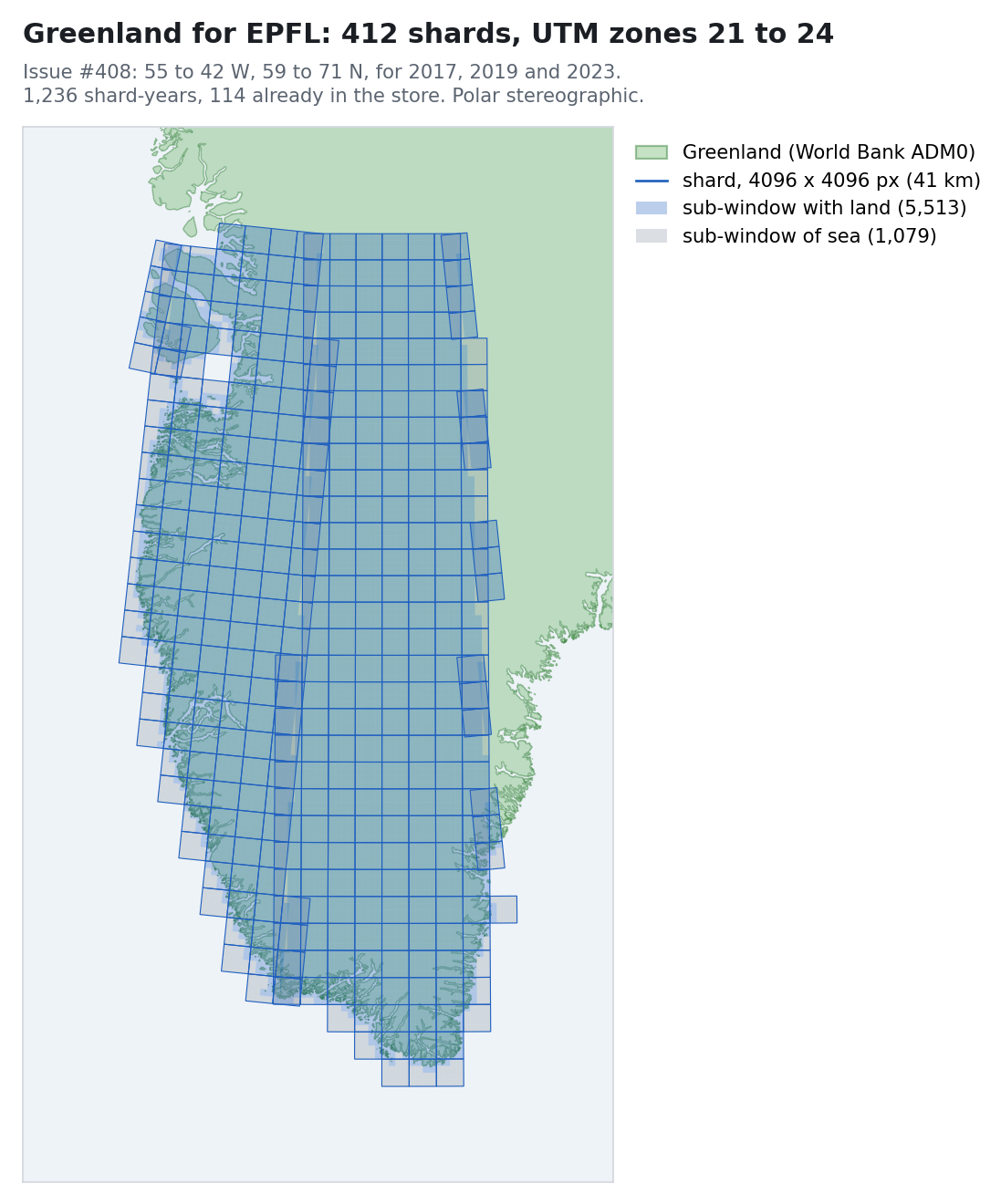
Greenland is being processed into the Zarr store on a single L4; day10 stopped refreshing its base images and started carrying every package it might need; a five-year-old lwt workaround turned out to be the bug; monteverde’s drive was failing after all; and a kernel CVE was mitigated across 90 hosts in an evening.
A command-line tool can print lines, which stay in the terminal's scrollback but look plain. Or it can take over the screen like a full-screen app, which looks good until it exits and takes its output with it. I wanted the looks of the second and the scrollback of the first, so I wrote console, an OCaml library for tables, trees and live progress rows that print into the scrollback. Its first version, 0.9.0, is now on opam: $ opam install console console-eio It comes in two parts. console is a set of pure, composable widgets. Each one is a three-dimensional object, drawn in the room it is given (a width and a height) at a given time, so the same widget can be printed once or animated. There are enough of them to write a command-line game where a camel jumps over lambdas, or a stock ticker. console-eio is the driver that feeds them the clock, the keyboard and the terminal's size changes, through Eio for now. Both need OCaml 5.4, on Linux or macOS. examples/camel/main.ml, recorded by k7. A trading day on an invented exchange: examples/stocks/main.ml, recorded by k7. It looks like a TUI, but you can scroll The recordings in this post look like full-screen terminal applications, but none of them is one. A full-screen program switches the terminal to its alternate screen, which suits an editor. A build or a test run is different, as its output is read after it ends, in a CI log or by an LLM agent that ran it. So console redraws only the few rows at the bottom that are still running, and everything a program printed is still there when it ends. OCaml is a great language for command-line tools, and I have written or maintained a few of them over the years, opam among them (Louis Gesbert later made its output much nicer). But I have always looked jealously at the tools of other ecosystems, and I have brought one to OCaml before, with Tailwind without Node. Docker's BuildKit, cargo, uv and pnpm print lines into the scrollback and redraw only a small live region below them, and they look good doing it. I wanted the same for OCaml, with a pure OCaml API and output versatile enough for all my tools, including the one I am writing to deploy applications to satellites with SpaceOS. OCaml already had some of the pieces. printbox prints boxes, tables and trees, and progress draws progress bars. But I could not combine them, because a box cannot redraw and a progress bar cannot sit in a table. console has a single type of view for both, so the live rows are built from the same tables, trees and panels as the output that stays in the scrollback. Most libraries keep the size and the time in mutable state, as Bubble Tea does in its model. A console widget takes both as arguments, so it can nest in any other widget and still move. console borrows a lot from Python's Rich, which it is modelled on, and from indicatif in Rust and Charm's lipgloss in Go. Full-screen frameworks such as Charm's Bubble Tea or OCaml's notty solve a different problem. The README's related work lists the rest. To see how far a single type of view goes, I imitated the output of the tools I use every day. None of these is the real tool: each is a short console program that draws its rows the way that tool does, and its source is in the repository's examples directory. So you can now pick your favourite package manager, and have your OCaml tool look like it: opam install cargo build pnpm install docker buildx build brew install nix build uv sync apt install Tasks and their logs A program reports its work as tasks. While a task runs, its row shows its latest lines in a window of ~log_lines of them: its Logs messages, the lines given to Task.log and what it prints with Fmt.pr. The window folds away when the task succeeds, as BuildKit's does. When the task fails, it stays under its ✗ line: open Console let build root = Task.run root "compile" (fun step -> Task.log step "ocamlopt parser.ml"; Logs.warn (fun m -> m "parser.ml: unused variable x")); Task.run root "test" (fun step -> Task.log step "test_parser: 11 passed"; Task.log step "test_lexer: expected 3, got 4"; Task.fail step); Task.fail ~message:"1 test failed" root let () = Eio_main.run @@ fun env -> Console_eio.run ~clock:(Eio.Stdenv.mono_clock env) ~label:"Building" build The rows go to standard error, which leaves standard output to the program. Piped into another program with both, nothing is redrawn, and each line is printed once (left). On a terminal, the rows of the tasks still running are redrawn in place, under a table of the steps that changes as they go (right, from another example). A warning logged outside a task stays above the rows once that task succeeds: $ ./build.exe 2>&1 | cat • compile › compile: ocamlopt parser.ml ! compile: parser.ml: unused variable x ✓ compile 0.0s • test › test: test_parser: 11 passed › test: test_lexer: expected 3, got 4 ✗ test 0.0s failed ✗ Building 0.0s (2/2) ✗ 1 test failed examples/display/main.ml, recorded by k7. Themes console comes with a bunch of themes, all shown in the README, and you can define your own. The default theme uses the terminal's own colours. Others follow existing colour schemes, such as Dracula and Solarized. Theme.matrix and Theme.rainbow are animated. Theme.matrix Theme.rainbow Theme.default Theme.dos Theme.dracula Theme.solarized_light Putting views together Tables, trees, panels and bars can all be put inside one another, a bit like boxes in an HTML page. Here, for instance, a tree of files sits next to a small panel, which has a sparkline inside it: open Console let tree = let leaf s = Tree.v (View.text s) [] in Tree.view @@ Tree.v (View.text "lib") [ leaf "view.ml"; leaf "table.ml"; leaf "panel.ml" ] let build = Panel.view ~title:(View.text "Build") (View.vcat [ View.text "time 1.2s"; View.hcat [ View.text "trend"; Bar.sparkline [ 3.; 5.; 2.; 8.; 6.; 9. ] ]; ]) let () = Console_tty.setup (); Fmt.pr "%a@." View.pp (View.hcat [ tree; build ]) lib ╭──── Build ────╮ ├── view.ml │ time 1.2s │ ├── table.ml │ trend ▂▄▁▇▅█ │ └── panel.ml ╰───────────────╯ The same goes for bar charts, and for the live rows themselves. So a program can keep a summary table above its running tasks, or give each of its builds a column of its own: Bar.chart and Bar.sparkline in a panel and a table Two builds side by side, with View.hcat Not only progress bars The live rows can draw more than progress bars, like the camel at the top of this post. I also built a simulated Winamp 2 player out of console's ordinary widgets. Two panels hold the player and the playlist. Vertical bars draw the spectrum analyser, whose bands are a few sines and some seeded noise, so every run draws the same frames. Horizontal bars draw the volume, the balance and the seek bar, and plain text laid out with View.hcat and View.vcat gives the LCD digits and the scrolling title. A theme of its own then gives it Winamp's colours, with the analyser's palette from Winamp's default skin: open Console let rgb = Color.rgb let green = rgb 0 232 0 (* Winamp's default analyser colours (viscolor.txt), from the bottom up. *) let viscolor = [ rgb 24 132 8; rgb 41 206 16; rgb 148 222 33; rgb 222 165 24; rgb 214 90 0; rgb 239 49 16; ] let theme = Theme.v ~name:"winamp" ~accent:green ~palette:viscolor ~muted:(rgb 150 150 150) ~background:(rgb 41 41 57) ~border:Border.single ~header:Style.(bold + fg (rgb 214 214 222)) () let () = Console_tty.setup ~theme () examples/music/main.ml, recorded by k7. Keeping the terminal at the edge The goal is for console to work with the libraries OCaml command-line tools already use. A view prints with Fmt on any formatter, and Console_tty.setup takes the same style renderer as Fmt_tty, so a --color flag from Fmt_cli works unchanged. Logs works unmodified too, as the tasks above show. For tables and trees, that is easy, as each of them is just a value that a formatter function prints, a bit like the view in the Elm architecture. The live rows are trickier, as they depend on time and on the size of the terminal. So the display never reads the clock or asks the terminal for its size itself: it is given a function for each, and a formatter to write to. console-eio provides them for Eio programs, and the tests provide a buffer and a clock that they move by hand. This is the same idea as in nqsb-TLS, the TLS stack of MirageOS. Its core takes bytes and returns bytes, and leaves the network to its caller. console is less strict, as its display still writes to the formatter it is given instead of returning what to write. But the clock and the terminal stay outside, and that is what makes the recordings reproducible. Recording the animations A library like this one is shown by its animations, and I changed the code every day while writing it. Recorded by hand, with VHS or asciinema, the images in the README would have stopped matching the code within a week. So I wrote k7, a small language-agnostic tool, to record them (see last week's post). Under a mocked clock, a console program's output no longer depends on how fast the machine is, so k7 draws the same SVG image, animated with CSS alone, on every run. Each image is then a test. dune draws it again from its program and diffs it against the one in the repository, so the images change with the code. What's next I will move my own tools to console over the next few weeks, before cutting a 1.0 release, starting with the ones in my Homebrew tap and the SpaceOS CLI. I tried a few ideas over the last six months in an experimental playground, but the GitHub repository is now the official one, and the one released on opam. I will delete the playground once all my tools have moved. Feedback is welcome on its issue tracker.
Moving Mollymawk from MirageOS and Lwt to our new OCaml 5 unikernel ecosystem.

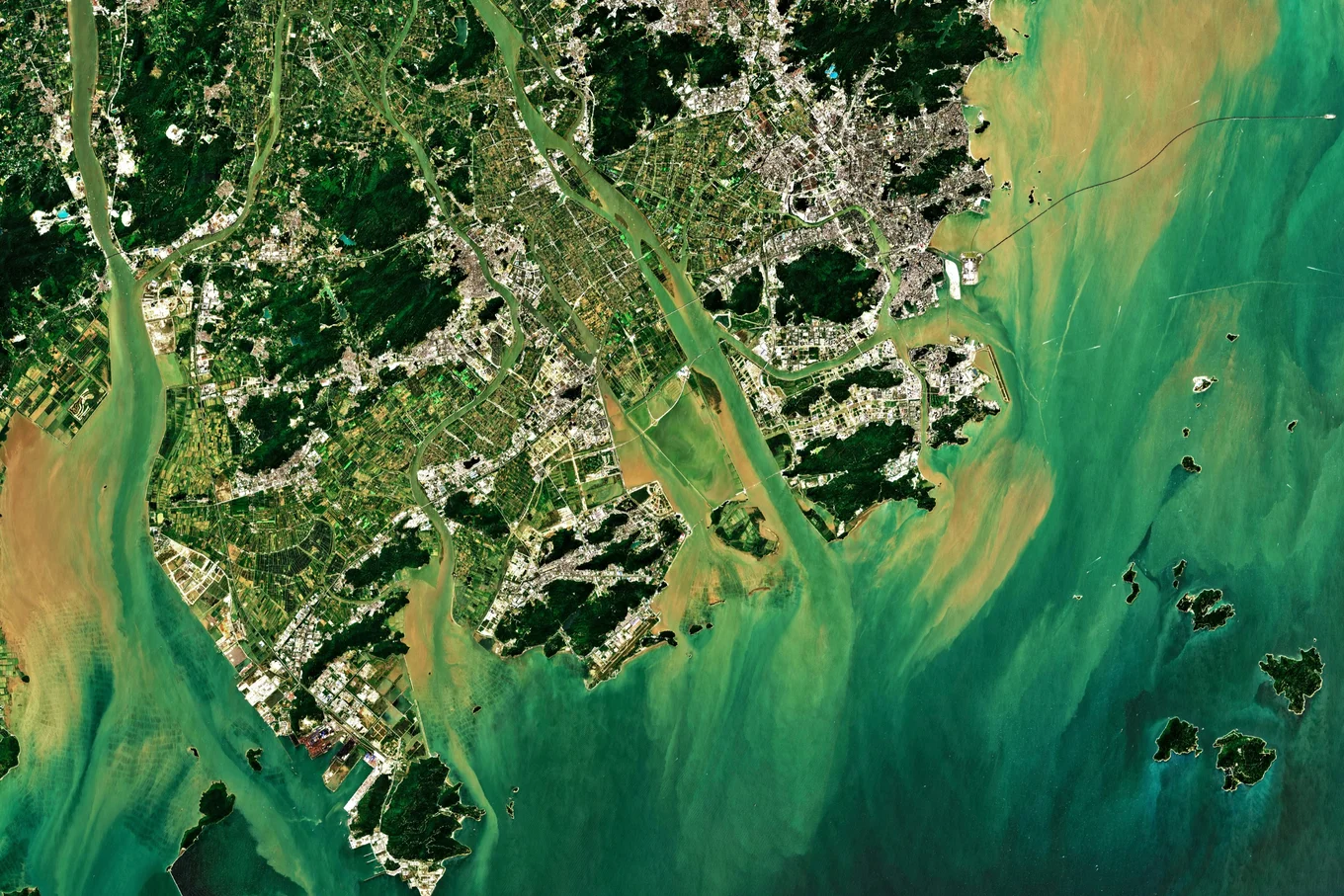
We've all seen satellites drifting by at night, and wondered how many are actually up there. With how long they have been observing Earth, it is unsurprising that satellites have accumulated a vast library of images covering the globe. In a world increasingly focused on identifying and mitigating human impact on the natural world, these images constitute an untapped data resource. Sadly, most conservation groups, field biologists, and local policymakers don't have a supercomputer on stand-by to help them trawl through that data and analyse trends. This is where the AI model Tessera, co-funded by Tarides and developed by a team headed by the University of Cambridge, comes in. What is Tessera? Tessera is an open-source AI foundation model which can parse through petabytes of satellite data to reveal patterns and changes over time. Tessera lets scientists designate habitat maps and highlight the changes they want to monitor over time. It can be used to reveal environmental changes, such as crop patterns, habitat loss, and deforestation. The software processes millions of satellite images from the European Space Agency into a compact, easily usable format for scientists. The result is that, instead of needing a supercomputer, researchers have access to global-scale analyses from their laptops. Tessera's algorithm learns to understand the 'fingerprint' of a landscape, knowing what it should look like, which allows it to fill in cloud-covered images with the missing values. For each 10-by-10-metre of land on Earth, the software creates an uninterpreted sequence of 128 numbers called 'embeddings'. All of these embeddings are available on demand in the database GeoTessera. A recent example comes from the Scottish Highlands, where a Cambridge-led team used aerial surveys to build detailed 3D maps showing the beginnings of large-scale native woodland recovery across the Cairngorms National Park. Tarides supported that work, and the data feeds into Tessera. You can read the University of Cambridge write-up. To learn more about the project, you can read the article published by the University of Cambridge, the open access paper, and watch the webinar on Tessera. Tessera & Tarides: A Natural Fit with our Work in Space We are proud to have sponsored Tessera's development, since it is open source and has no paywalls by design. As Tessera's co-lead, Anil Madhavapeddy, professor of planetary computing at Cambridge, puts it: the goal is to "democratise satellite data for people who lack massive computer resources, whether that's an underfunded conservation group here in the UK, field biodiversity researchers in the majority world, or planners figuring out climate adaptation strategies in a rapidly warming world." Tarides is dedicated to building secure and sustainable software with a positive impact, and supporting the Tessera project is a natural fit. It also complements our work on satellite software. Our sister company, Parsimoni, has been putting OCaml and MirageOS into orbit through SpaceOS, and we've built Notafs, a filesystem that lets Irmin run on MirageOS unikernels aboard satellites. Earlier this year, we also kicked off our part in the CEOS project, building next-generation Earth observation satellites. Tessera is a piece of that same puzzle; it's one thing to get reliable, secure software into orbit and collect data, and another to make sense of what that data is telling us once it's back on the ground. Whether it's the satellite hardware and unikernels collecting the imagery, or a foundation model turning that imagery into insight for a conservation group with no cloud budget, the focus for us is the same: open tools should make space and Earth science more accessible, not less. What's Next & Stay in Touch Explore Tessera's embeddings yourself at geotessera.org, and share your thoughts with the team behind the model. Stay in touch with us on Bluesky, Mastodon, and LinkedIn or sign up to our mailing list to stay updated on our latest projects. We look forward to hearing from you!
uniker.nl - Unikernels in OCamlAnnouncing segmap, a fast data structure for renamingshexen.0.1intel_hex.1.0Js_of_ocaml / Wasm_of_ocaml 6.5TIFF Inspector: an ocaml-tiff based inspector, with an in-browser OCaml playgroundOCaml 5.5.2 releasedbytream.0.4First release of spvecocaml-emcc: compile OCaml programs with their C stubs to WebAssemblyNew release of snkv-ocaml 0.3.0 — OCaml bindings for SNKV with HNSW vector searchBuilding TIFF Inspector: Exploring OCaml, TIFF Internals, and an In-Browser Playgroundstele 0.1.0: syntax-error messages for Menhir grammarsOSEC-2026-21: Str partial-match stale capture registers underflowOSEC-2026-22: Integer overflow in Unix.map_fileOSEC-2026-23: Multiple issues in MarshalOSEC-2026-24: Multiple issues in command quoting on WindowsOSEC-2026-25: Heap buffer overflow in the OCaml ~runtime_events~ consumer when parsing an oversized custom user eventOSEC-2026-26: runtime_events user event name-based type confusion
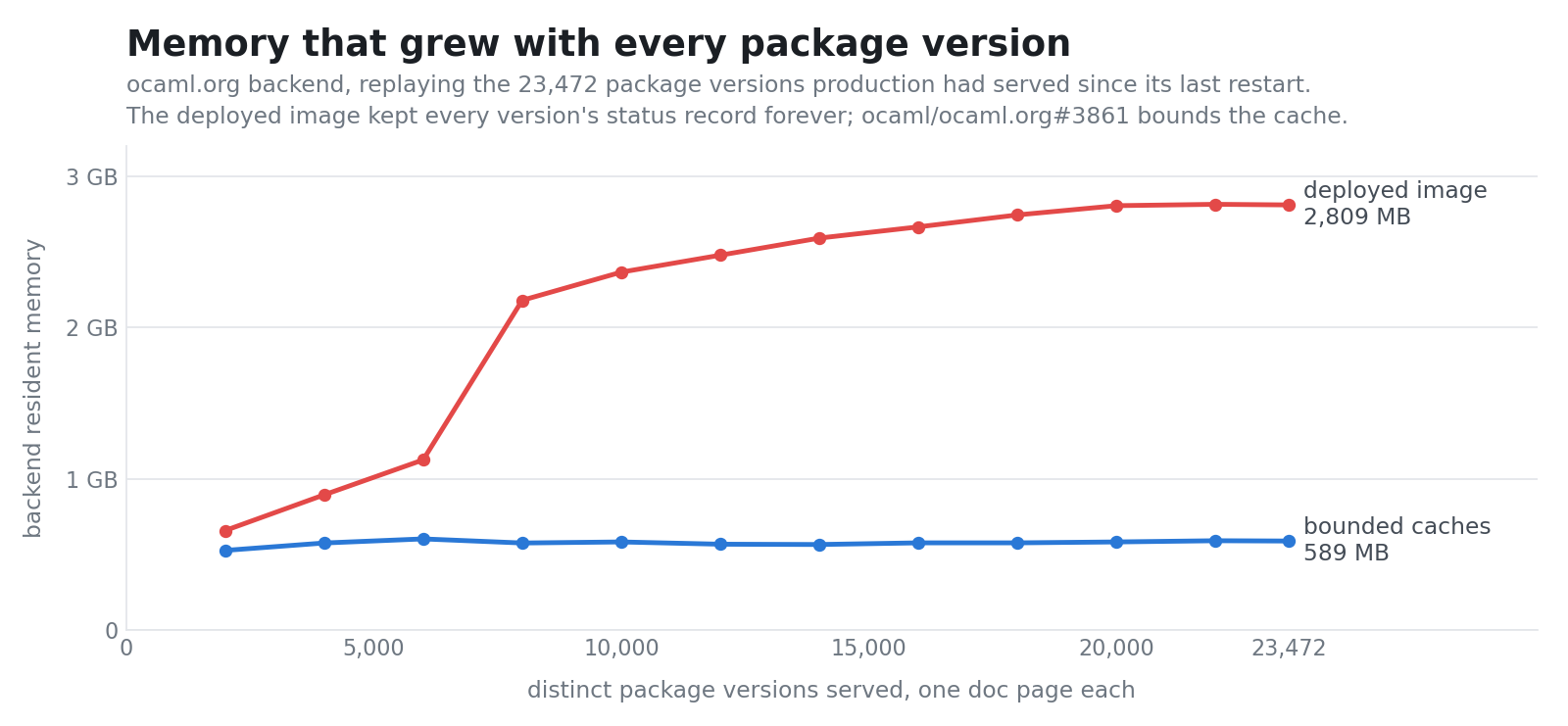
ocaml.org memory and CPU improvements; the first Tessera block processed straight into the Zarr store; a CephFS kernel bug that returned zeros for files that were fine; and day10 updates.
I have always been a fan of asciinema and of Charm's VHS. asciinema records a terminal while you use it, and VHS types a script of commands into a terminal and films the result. I wanted their animations in the READMEs of my projects, but I always forgot the syntax of VHS's tape files, and I always mistyped a command halfway through an asciinema recording (and then started again). I also always forgot to re-run those recordings when my API changed, and they got out of sync quickly. Fortunately, most of my projects already check their command-line output with cram tests, transcripts of shell commands and of what they print, which dune, OCaml's build system, runs as tests. Making those tests produce animated images was a short stretch, and then, why stop there? The result is k7 (how the French write cassette, if you say it out loud), a command-line tool that records any program, whatever its language, as an SVG image animated with CSS alone. Here is ls, and sl, which I regularly enjoy mistyping. Each took one command, such as k7 rec -o sl.svg -- sl, which generates an animation you can embed in any HTML page (and in your projects' READMEs). ls, as I meant to type it. sl, as I actually typed it. Animations that dune checks I was not the first to draw a terminal as an animated SVG. termtosvg (now archived) and svg-term-cli do it too. What k7 adds, I think, is that it both writes and plays dune's cram tests. A cram test is a text file that reads like a terminal session. Each command is indented and starts with $ , the output it should print sits below it, and any other line is a comment: Print a greeting: $ printf 'hello\n' hello dune test runs the commands of each test in a new empty directory and compares what they print with the file. When the output changes, dune shows the difference, and dune promote writes the new output into the file. k7 fits into that loop at both ends. k7 rec -o hello.t -- printf 'hello\n' writes the test above (without the comment). In the other direction, k7 play types the commands of a cram test into bash and draws what happens. The image at the top of k7's README comes from doc/demo.t, drawn by k7 play -o doc/demo.svg doc/demo.t. Dune runs the same file as a test, so the test fails exactly when the image needs drawing again, and drawing it again takes one command. doc/demo.t from k7's repository, typed into bash by k7 play. The same screen as VHS, every time k7 rec runs a program on a pseudo-terminal and feeds what it prints to a terminal emulator, matrix, from Thibaut Mattio's mosaic project at Invariant Systems. I wanted k7 to draw the same screens as VHS, which runs xterm.js in a browser, so I fixed the places where matrix and xterm.js disagreed and sent the fixes upstream. Each time the program changes the screen, k7 keeps a copy of it, at most 50 times a second (as in VHS). Each distinct line of text is defined once, each frame refers to the lines it shows, and a single CSS @keyframes rule slides the strip of frames, jumping to each one at the time the program drew it. This keeps the file small when most lines stay put: the image of ls above takes 4 KB. A train crossing the screen is the worst case, and the image of sl takes 356 KB. The GIF that VHS made of the same sl, on a terminal of the same size, takes 2.1 MB. VHS drives a headless browser and encodes the frames with ffmpeg, and on my laptop it took 53 seconds, against 8 for k7 rec, about 7 of which were sl itself. A program like sl has no cram test, since its output is an animation rather than text. For those, k7 rec -o sl.cast -- sl keeps the recording itself, in asciinema's asciicast v3 format, and k7 play draws it, or any asciinema recording, without running anything. Recording is not deterministic, but drawing is. Record sl twice and the two recordings differ, because the program never prints at quite the same times. Draw one recording twice and you get the same file, byte for byte. So dune can check a committed image against the recording beside it: (rule (target sl.generated.svg) (action (run k7 play -o %{target} %{dep:sl.cast}))) (rule (alias runtest) (action (diff sl.svg sl.generated.svg))) A tape syntax the compiler remembers That leaves the VHS tape syntax I kept forgetting. k7 plays .tape files too, and in OCaml, the K7 library builds tapes as values instead, so the compiler remembers the syntax for me: let tape = K7.tape ~settings:K7.[ Font_size 18; Width 1000; Height 560 ] ~outputs:[ "demo.gif" ] K7.[ type' "dune test\n"; wait Prompt; sleep (Ms 2000) ] K7.tape checks the tape against the rules of VHS's parser as soon as it is built, theme name included, where VHS only notices a misspelt theme when it runs the tape. Its tests hold it to vhs validate on 3000 random tape lines, as I held my Tailwind rewrite to Tailwind itself. Trying it k7 0.9.0 is in my Homebrew tap, for macOS and Linux, and on opam for OCaml 5.4 and later: $ brew install samoht/tap/k7 $ opam install k7 A few edge cases are not supported (the README lists them), but for most uses it seems to work fine. If k7 draws something differently from VHS or asciinema, please open an issue with the recording (k7 rec -o bug.cast -- yourprogram makes one).
Forester toplevels are working well in FoCS lectures, a smooth Patch the Planet week with Trail of Bits, and drowning in security reports.
opentelemetry 0.92