package ochre
Syntax highlighter using TextMate grammars and themes
Install
dune-project
Dependency
Authors
Maintainers
Sources
ochre-1.0.0.tbz
sha256=820412863edca3173c7365cf16b4b4bad41c8fffbb4bfba8f0d87a40d4ad525b
sha512=f8a16876281504e714fe465df8a1a9894a90f06fc6cead07534722c0aa83abf955d9951e66549ac78a016e27fe8cdc5596f415e26f1c5309ee893722078f56ae
doc/README.html
ochre
A syntax highlighter for OCaml using TextMate grammars and themes, inspired by Shiki.

Installation
opam install ochre -yQuick start
let theme = Ochre.Theme.nord in
let highlighter = Ochre.load_from_files_exn ["path/to/ocaml.tmLanguage.json"] in
let html = Ochre.to_html highlighter ~theme ~lang:"ocaml" source_code
Load any TextMate grammar with tm-grammars
tm-grammars provides a curated collection of TextMate grammars packaged for OCaml. It integrates cleanly with ochre, so you can use any grammar definitions without managing JSON grammar files manually.
Install the bundled grammar package:
opam install tm-grammars -yThen load a grammar from OCaml and create a highlighter:
let theme = Ochre.Theme.nord in
let highlighter = Ochre.load_exn [ ("ocaml", Tm_grammars.ocaml) ] in
let html = Ochre.to_html highlighter ~theme ~lang:"ocaml" "let x = 42"
Output formats
ochre can render highlighted code to several output formats (also called backends):
- HTML — Self-contained
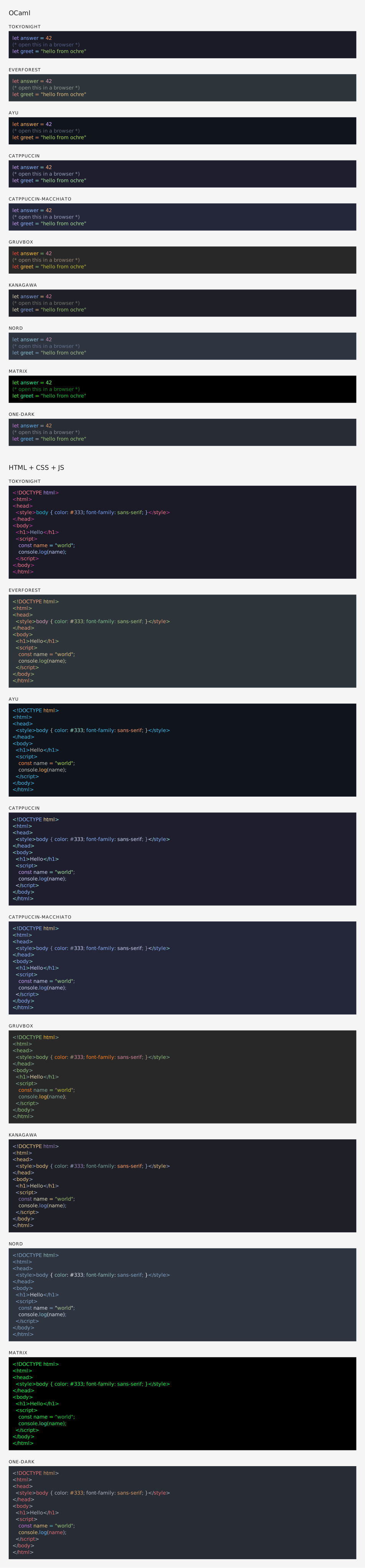
<pre><code>blocks with inline styles or CSS classes. Supports multi-theme via CSS custom properties, line numbers, and configurable class prefixes. See rendered example. - SVG — Standalone
<svg>elements with monospace<text>and per-token<tspan>styling. Open preview: SVG rendered example. Source: .svg file. - ANSI — 24-bit color escape sequences for terminal display.
- LaTeX —
\textcolorcommands inside anochrehighlightenvironment. Requires thexcolorandsoulpackages. See rendered PDF (source: .tex file). All backends share the same interface: create a highlighter, pick a theme, and call the correspondingto_*function.

Documentation
Contribute
Set up the development environment:
make initBuild the project:
make buildRun the test suite:
make testYou can also preview highlighted output in a browser with make test-browser, which serves a sample on port 5000.
Credits
- Inspired by Shiki by Pine Wu and Anthony Fu
- Uses textmate-language and ocaml-oniguruma by Alan Hu