Legend:
Page
Library
Module
Module type
Parameter
Class
Class type
Source
ochre
A syntax highlighter for OCaml using TextMate grammars and themes, inspired by Shiki.
Installation
opam install ochre -y
Quick start
let theme = Ochre.Theme.nord in
let highlighter = Ochre.load_from_files_exn ["path/to/ocaml.tmLanguage.json"] in
let html = Ochre.to_html highlighter ~theme ~lang:"ocaml" source_code
Load any TextMate grammar with tm-grammars
tm-grammars packages a collection of TextMate grammars for OCaml, so you can load grammars in ochre without managing JSON files on disk.
Install the bundled grammar package:
opam install tm-grammars -y
Then load a grammar from OCaml and create a highlighter:
let theme = Ochre.Theme.nord in
let highlighter = Ochre.load_exn [ ("ocaml", Tm_grammars.ocaml) ] in
let html = Ochre.to_html highlighter ~theme ~lang:"ocaml" "let x = 42"
Output formats
ochre can render highlighted code to several output formats (also called backends):
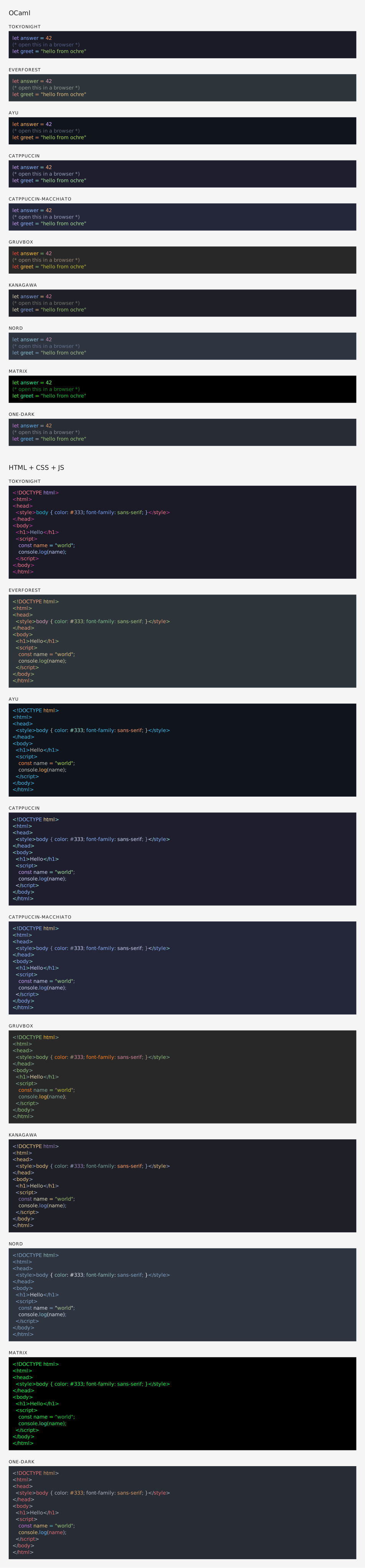
HTML — Self-contained <pre><code> blocks with inline styles or CSS classes. Supports multi-theme via CSS custom properties, line numbers, and configurable class prefixes. See rendered example.
SVG — Standalone <svg> elements with monospace <text> and per-token <tspan> styling. Open preview: SVG rendered example. Source: .svg file.
ANSI — 24-bit color escape sequences for terminal display.
LaTeX — \textcolor commands inside an ochrehighlight environment. Requires the xcolor and soul packages. See rendered PDF (source: .tex file).
All backends share the same interface: create a highlighter, pick a theme, and call the corresponding to_* function.