Legend:
Page
Library
Module
Module type
Parameter
Class
Class type
Source
ochre
A syntax highlighter for OCaml using TextMate grammars and themes, inspired by Shiki.
Installation
opam install ochre -y
Quick start
let theme = Ochre.Theme.nord in
let highlighter = Ochre.load_from_files_exn ["path/to/ocaml.tmLanguage.json"] in
let html = Ochre.to_html highlighter ~theme ~lang:"ocaml" source_code
Load any TextMate grammar with tm-grammars
tm-grammars provides a curated collection of TextMate grammars packaged for OCaml. It integrates cleanly with ochre, so you can use any grammar definitions without managing JSON grammar files manually.
Install the bundled grammar package:
opam install tm-grammars -y
Then load a grammar from OCaml and create a highlighter:
let theme = Ochre.Theme.nord in
let highlighter = Ochre.load_exn [ ("ocaml", Tm_grammars.ocaml) ] in
let html = Ochre.to_html highlighter ~theme ~lang:"ocaml" "let x = 42"
Output formats
ochre can render highlighted code to several output formats (also called backends):
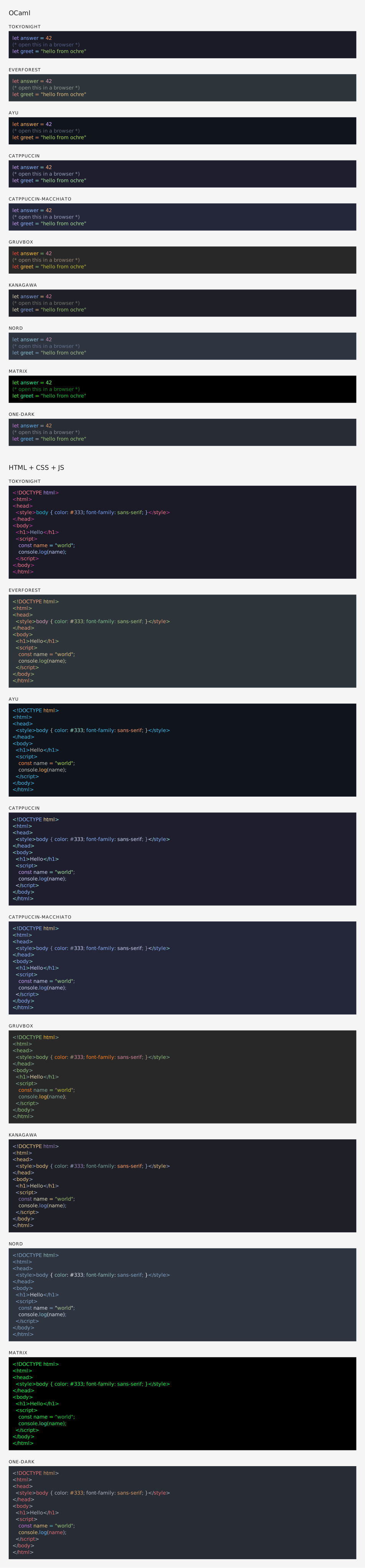
HTML — Self-contained <pre><code> blocks with inline styles or CSS classes. Supports multi-theme via CSS custom properties, line numbers, and configurable class prefixes. See rendered example.
SVG — Standalone <svg> elements with monospace <text> and per-token <tspan> styling. Open preview: SVG rendered example. Source: .svg file.
ANSI — 24-bit color escape sequences for terminal display.
LaTeX — \textcolor commands inside an ochrehighlight environment. Requires the xcolor and soul packages. See rendered PDF (source: .tex file). All backends share the same interface: create a highlighter, pick a theme, and call the corresponding to_* function.