Blog

The OCaml Planet RSS

Articles and videos contributed by both experts, companies and passionate developers from the OCaml community. From in-depth technical articles, project highlights, community news, or insights into Open Source projects, the OCaml Planet RSS feed aggregator has something for everyone.

Want your Blog Posts or Videos to Show Here?

To contribute a blog post, or add your RSS feed, check out the Contributing Guide on GitHub.

Combobulate Now Supports OCaml & OxCaml

Code navigation is one of those aspects of programming that can either make your experience significantly better, or be such a pain. Most of the time we navigate code as text, i.e, searching with regexp, jumping by lines or moving word by word. But code isn't text. It has syntactic structure, and being aware of that structure when moving and editing opens up a different way of working. This is what structural navigation and editing means: operating on the actual constructs of a program; expressions, bindings, match arms, module definitions, etc, instead of characters and lines. We have recently improved navigation in OCaml/Oxcaml with Combobulate support, and this post will get you up-to-speed on what’s new, how it works, and where to try it out! What Has Structural Navigation in OCaml Looked Like Until Now? OCaml already has a substrate of structural navigation through Merlin (and by extension OCaml-LSP). The jump command gives you a limited form of structural movement such as jumping to the next let, match, module, and a few other constructs. It is useful, but it's a small subset of what structural navigation could be. Previously, this limitation motivated the GopCaml project, which took a more ambitious approach to structural editing for OCaml by working directly with the compiler's AST. More recently, tree-sitter has introduced a generic abstraction over syntax. Given a tree-sitter grammar for a language, you get an incremental parser that produces a concrete syntax tree you can query and traverse. OCaml has a tree-sitter grammar which is already used in, for example, neocaml-mode where it provides syntax highlighting. Tree-sitter can be seen as the syntactic counterpart to LSP: where LSP standardizes semantic features, Tree-sitter provides a common protocol for syntax. Much like TextMate grammars provided a generic way to handle syntax highlighting across editors, Tree-sitter gives editors syntactic tools such as highlighting and navigation. Combobulate by Mickey Petersen takes tree-sitter in a different direction: it uses the syntax tree for structural navigation and editing. It's a minor mode for Emacs that supports many languages, and it now supports OCaml. Why Does Combobulate Matter for OCaml? OCaml code nests very deeply. Modules contain structures, structures contain let bindings, let bindings contain match expressions, and match cases can contain further match expressions. Type declarations can define records, variants, and GADTs in a single type ... and ... block. Many of these constructs can recurse into each other with no fixed limit; this is part of what makes OCaml expressive, but it also means that even a small OCaml file produces a deep and wide tree-sitter parse tree. Implementing structural navigation for OCaml is harder than for most languages precisely because of this: the procedures that tell Combobulate how to pick the right node at any point have to account for potentially infinite nesting at every level. This is also why line-based movement becomes incredibly slow and unreliable. Jumping to the next let with an incremental search won’t help when there are six of them nested within each other. This is why structural navigation, which helps us move by the structure of the code, and the relationships between different nodes in the tree, feels natural and makes a real difference. Combobulate is an important addition to the OCaml ecosystem because it perfectly complements tools like Merlin and OCaml-LSP. While Merlin is great for semantic intelligence, type checking, autocomplete, and jumping to definitions, its structural navigation features (like the jump command) are limited. By letting Combobulate handle the purely syntactic, structural movement and editing, the two tools work together to provide a comprehensive editing experience: Merlin understands what your code means, while Combobulate understands its shape. Navigating OCaml with Combobulate Once Combobulate is active in your OCaml buffer, you should see a © in the mode line. There is a Magit-style transient UI bound to C-c o o that lists every binding, which is handy while you're learning. To inspect the full keymap directly, run M-x describe-keymap RET combobulate-key-map. With Combobulate, you have different commands to navigate your code in a variety of ways: jumping between siblings, jumping between occurrences of words, traversing the node tree sequentially, and more. Navigation Commands Binding Summary What it does C-M-u / C-M-d Up/Down into list Move in/out to the parent/child node. C-M-n / C-M-p Forward/Backward sibling Move to the next/previous sibling at the current level. M-e / M-a Logical next/previous Jump to the next/previous logical node, regardless of nesting. M-n / M-p Sequence navigation Move between paired sequence points (e.g., jumping from the word let to the next occurrence of let). C-M-a / C-M-e Move to the start/end of defun Move to the beginning/end of defun. This is based on best-effort. In nested let bindings, it doesn't work very well. Navigation Examples Combobulate primarily handles code navigation in terms of two axes: Vertical/Hierarchical (Parents and Children): Moving "up" (C-M-u) leaves the current node for its enclosing parent, while moving "down" (C-M-d) descends into the child node at the cursor. Horizontal (Siblings): Moving forward (C-M-n) or backward (C-M-p) hops between sibling nodes at the same syntactic level, such as adjacent match cases, list elements, or record fields. When hierarchical or sibling navigation isn't enough, Combobulate also offers logical navigation (M-e / M-a). Rather than being constrained to direct parent-child or sibling relationships, logical navigation moves sequentially across nodes in their logical reading order—allowing you to cross operator boundaries or escape deeply nested subtrees. Simple Examples Navigating down into a body (C-M-d) "Down" means entering whatever node the cursor is sitting on. The clearest case is descending from a module declaration into its contents: module Counter = struct let value = 0 let bump x = x + 1 end Place the cursor on module. Press C-M-d thrice and the cursor moves to let value = 0. Press C-M-d again and you descend further, into the binding itself. Navigating up to the parent (C-M-u) "Up" is the inverse: leave the current node and land on its enclosing parent. Suppose the cursor is on the number 100 inside a record: let player = { name = "Ada"; score = 100 } C-M-u jumps to the whole field score = 100. Press it again to land on the record { ... }. To move from 100 directly to the let keyword, use C-M-a. Navigating siblings (C-M-n / C-M-p) Siblings are nodes at the same level, like match cases, tuple components, record fields, and array elements. Take a match expression: match shape with | Circle r -> pi *. r *. r | Square s -> s *. s | Triangle (b, h) -> 0.5 *. b *. h Place the cursor on the first match arm (Circle r -> ...). C-M-n moves to Square s -> .... Again to Triangle .... C-M-p walks back. Complex Examples Using only parent-child or sibling navigation is not always sufficient to navigate OCaml code efficiently. Because OCaml's deep nesting can lead to highly nested concrete syntax trees, you need a few more tools in your belt to avoid getting stuck. Example 1: Using next-sequent (M-n) and prev-sequent (M-p) In subsequent let...in bindings, parent-child/sibling navigation is insufficient and unreliable due to how let...in is represented as deeply nested subtrees in the tree-sitter grammar. Each successive binding is actually a child of the one before it, meaning C-M-p won't walk backwards up the chain. Instead, use sequence navigation to hop directly from one let to the next and back. let emit_string_table_section fmt section_name (table : Dwarf_write.string_table) = let buf = Buffer.create 64 in let contents = Buffer.contents buf in let i = ref 0 in let len = String.length contents in while !i < len do let start = !i in while !i < len && contents.[!i] <> '\x00' do incr i done; let s = String.sub contents start (!i - start) in emit_asciz fmt s; if !i < len then incr i done If we want to move from the let-binding on line 3 to the let-binding on line 6, sequence commands M-n and M-p let you jump forward and backward easily. Example 2: Using logical-next (M-e) and logical-prev (M-a) if (x = 1) then true else false When the cursor is on if, you can do C-M-d to go to the parenthesis (, then C-M-d again to enter x, or C-M-n to go to then and else. However, if we have the same code without the parenthesis: if x = 1 then true else false There is no direct sibling relationship to go from x to then using C-M-d or C-M-n. In this case, we use logical-next (M-e) to cross the operator boundary and jump directly to the then branch. Logical next/prev allows you to move to the next node in the tree irrespective of their parent/sibling relationships. It is also incredibly helpful for passing over ->, =, and other operators. Example 3: Escaping Deep Subtrees If you are at the end of a long top-level item and want to navigate to the beginning of the next top-level item, use logical-next (M-e). If you try to use forward sibling navigation (C-M-n) from the end of the item, the cursor won't move at all since you are deep inside a nested subtree with no siblings to your right. Using M-e lets you jump out of the subtree instantly to the next top-level construct. Editing Commands Because Combobulate's editing commands are built on top of its navigation primitives, particularly sibling navigation, they all work in OCaml without any extra configuration. If you can navigate between two nodes, you can edit them. Binding Summary What it does C-c o e Envelope prefix Apply a code template (envelope) at the cursor. Press C-h after to see what's available in this context. M-h Expand region Mark the current node. Repeat to expand the region to the parent iteratively. C-M-h Mark defun Mark the current enclosing defun. Repeat to expand to the next enclosing defun iteratively. M-N or M-S-n Drag forward Swap the current node with its next sibling, preserving formatting. M-P or M-S-p Drag backward Swap the current node with its previous sibling. C-c o c Clone node dwim Duplicate the node at cursor. If ambiguous, you cycle through candidates with a live preview (the carousel). C-c o t Place cursors Place multiple cursors (or field-editor fields) at every related sibling; e.g. each element of an array, each field in a record. Editing Examples Expanding the region (M-h) Each press grows the selection to the next syntactic unit. Starting on r inside a function call: let area = pi *. r *. r M-h once → selects r. M-h again → selects pi *. r *. r. M-h again → selects the whole let binding. M-h displays numbers indicating where the next enclosing region starts, helping you visualize where the cursor will move if you perform a hierarchy-up navigation. Unlike Merlin's type-enclosing (which operates on typed AST expressions and requires code to typecheck), Combobulate's expansion is purely syntactic: it operates on any concrete syntax node (including patterns, type declarations, and comments) even when the code is incomplete or doesn't compile. Expanding an envelope (C-c o e) Envelopes are context-aware templates. Press C-c o e then C-h to see what's available. For example, to add a module template: Place your cursor where you want to add the template. Press C-c o e to list all available templates. Press M to activate the modules template. The template will be added with name as an editable hole: module name = struct end Press TAB to jump between holes. Adding multiple cursors (C-c o t) Cursors land on every sibling at the current level. This is perfect for bulk-editing collections. Place the cursor on any element of an array: let primes = [| 2; 3; 5; 7; 11 |] Press C-c o t t and a cursor is placed on each element. Anything you type happens to all five at once! Swapping siblings — drag forward / backward (M-N / M-P) Drag transposes the node at the cursor with its neighbor, preserving formatting. Useful for reordering elements or record fields: let primes = [| 2; 3; 5; 7; 11 |] With the cursor on 2, press M-N (or M-S-N) to swap them: let primes = [| 3; 2; 5; 7; 11 |] Cloning a node (C-c o c) Duplicates the node at the cursor. On a record field: type user = { name : string; age : int; } Place the cursor on name : string and press C-c o c to duplicate it seamlessly. Inspection & Search Binding Summary What it does C-c o B q Query builder Open the interactive tree-sitter query builder, with completion and highlighting, for ad-hoc searches and bulk edits. Query Builder Example Open a live tree-sitter query builder with C-c o B q. If you have value_definitions in your file, you can underline all of them with a blue line using the query: (value_definition) @hl.blue.underline Setup Since Combobulate is built on tree-sitter you will need Emacs 29 or later, as that's when built-in tree-sitter support landed. Install Combobulate from the master branch and add the OCaml grammars to your config file. To get started with OCaml, add the OCaml grammars to your config file: (setq treesit-language-source-alist '((ocaml . ("https://github.com/tree-sitter/tree-sitter-ocaml" "v0.26.0" "grammars/ocaml/src")) (ocaml_interface ("https://github.com/tree-sitter/tree-sitter-ocaml" "v0.26.0" "grammars/interface/src")))) Run M-x treesit-install-language-grammar for each. Combobulate can be used with either neocaml-mode or tuareg-mode or tuareg-interface-mode as your major mode. When it's working you'll see © in the mode line, and C-c o o opens the full command palette. Try it out Open up a project you are working on. Place your cursor on a case in a match expression and try to teleport to the next sibling. You can check out the PR adding OCaml support and the PR adding OxCaml support in the Combobulate repo to explore the implementation process in more detail. Feedback Welcome OCaml's syntax is flexible enough that there isn't always one obvious answer to "what should the next sibling be?" or "what counts as descending one level?". We had to make judgment calls on a number of corner cases, like what sibling navigation does inside a type ... and ... block, how hierarchy behaves around functors, where sibling navigation should land in deeply nested expressions. We're happy with the choices we made, but we know they won't match everyone's expectations perfectly. If something feels off in your workflow, or you think a particular movement should behave differently, we'd like to hear about it. Open an issue on the Combobulate repo, make a post on Discuss, or contact us to let us know. Stay in touch with us on Bluesky, Mastodon, and LinkedIn or sign up to our mailing list to stay updated on our latest projects. We look forward to hearing from you!

01 Oct 2026

Tarides

Read Article
OCaml Weekly News, 29 Sep 2026

2nd release elm_playground (a game engine for beginners)moonpool 0.12tw 1.1.0, Tailwind CSS in OCamlCascade: A Typed CSS Toolkit in OCamlppx_deriving_{yaml,ezjsonm,yamlx} 0.5.0kqueue-ml 0.5.0Windtrap: one library for all your OCaml testsOcsigen Server 8.0.0

29 Sep 2026

Caml Weekly News

Read Article
Notes from week 39

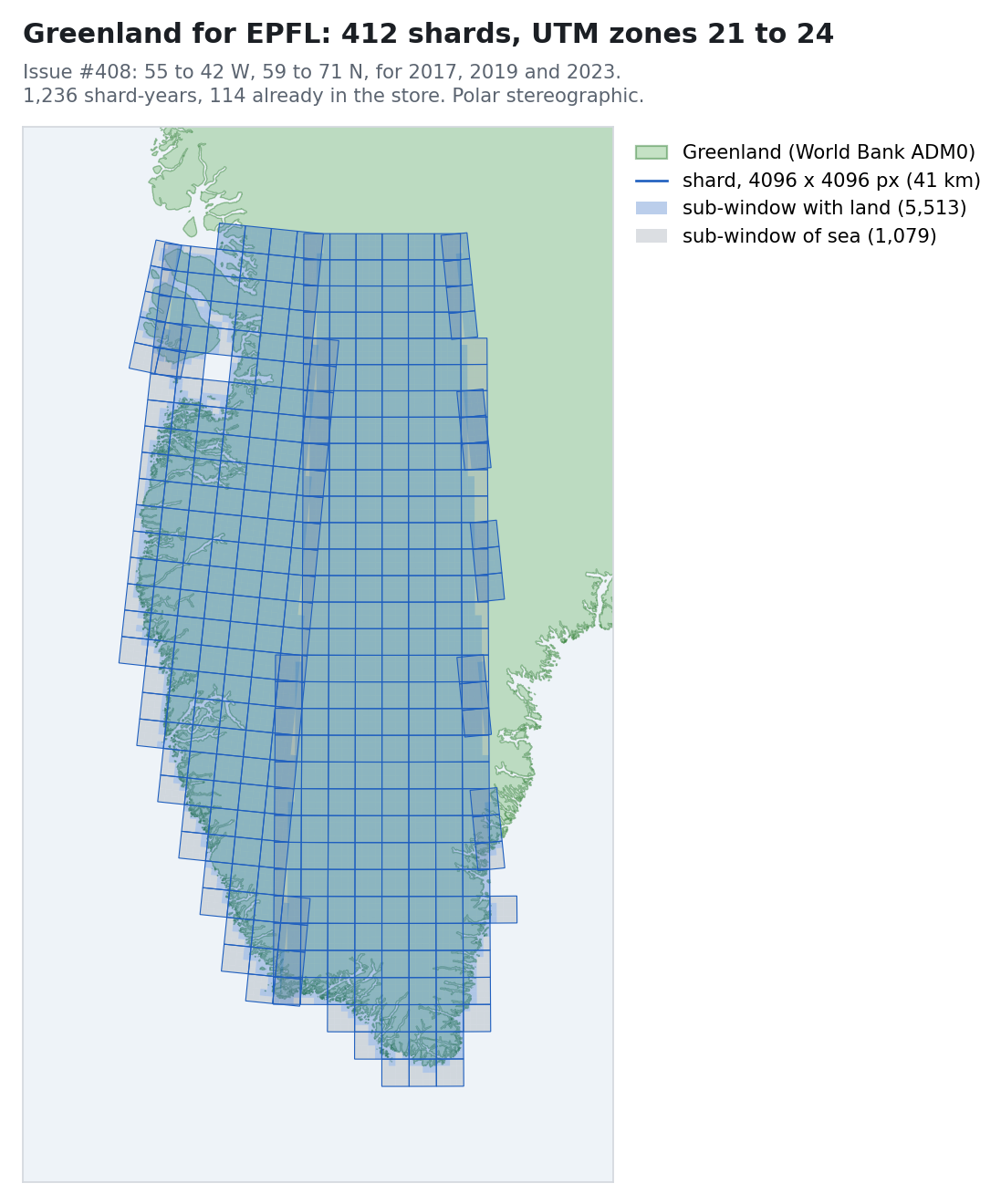
The icechunk to zarr conversion finished, although not when I said it had; benchmarking Tessera inference on Intel’s AMX silicon; and day10 spreading to four architectures while finding real bugs.

28 Sep 2026

Marc Elvers

Read Article
.plan-26-39: End of my sabbatical, and I feeeel fine!

Reflections on the end of my sabbatical, with a reading list on societal change, Tessera's embeddings finish converting, Scrutineer continues to find security fixes galore, good news from Scotland.

27 Sep 2026

Anil Madhavapeddy's Blog

Read Article
Testing Mollymawk

Building a test suite for Mollymawk and an automated CI on FreeBSD.

25 Sep 2026

Robur Cooperative

Read Article
Ocsigen Server 8.0.0: one command, and a modernized API

Ocsigen Server 8.0.0 is out. Running a web server no longer needs a configuration file: ocsigenserver ./public serves a directory, and ocsigenserver --reverse-proxy http://localhost:9000 puts a proxy in front of an application, both with co…

24 Sep 2026

Ocsigen project

Read Article
Learning Goals and the Goals of Learning: Teaching in the Age of AI with Aaron Bauer

Aaron Bauer is a software engineer and one of Jane Street's few developer educators—a role that splits his time between writing code and teaching other people how to write it. Before joining the firm, he taught computer science at Carleton College, including four straight terms online during the pandemic. In this episode, Ron and Aaron discuss what it takes to teach engineering inside a company with its own language, its own version control, and its own editors, and what changes when an LLM can do the exercise for you. Along the way, they consider the underrated power of a live lecture; why the text editor is still the software engineer's home base; using editor telemetry to find out how AI is actually changing developer workflows; and how Jane Street rebuilt its intern curriculum around testing, design, and code review now that producing the code is the easy part.You can find the transcript for this episode on our website.Some links to topics that came up in the discussion:Foldit and AlphaFoldCarleton College Computer ScienceFlipped classroom, active learning, mastery learning, and cognitive load"The Pen Is Mightier Than the Keyboard" — Mueller & Oppenheimer on handwritten vs. typed notesMerlin and ocaml-lspecaml — writing Emacs extensions in OCamlBonsai — Jane Street's OCaml web UI libraryOxCamlClaude Code output styles — the "learning" mode Aaron describes (note: Anthropic has since moved this to a plugin)Jane Street's tech internship

23 Sep 2026

Signals and Threads

Read Article
Rewriting Tailwind CSS in OCaml: Is It (Pixel-)Correct?

I really like Tailwind CSS. Keeping styles next to the HTML makes it much easier to keep the two in sync. I can see which styles a component uses without tracing selectors across files, and removing the component doesn't leave me wondering which CSS rules are still needed elsewhere. In my projects, though, Tailwind also brought a Node.js toolchain into the build. I use OCaml for most of my software projects, including the code that generates HTML for web applications (like this blog!), so keeping a second build loop in sync was awkward. I wanted the same convenience within OCaml: a component could carry its Tailwind styles with it, and the build could generate both HTML and CSS together. That library became tw, which, as of its 1.1.0 release, builds whole Tailwind v4 projects, with their themes and plugins, and without Node.js. It is a drop-in replacement for the Tailwind CLI, whatever language your project is written in: $ brew install samoht/tap/tw # or: opam install tw $ tw -i src/app.css -o dist/app.css But how could I tell whether it was a faithful replacement? Different CSS can produce the same page, and a stylesheet that looks plausible can still move a button or break a hover effect. This post describes the checks I built to answer that question. Each of them ended up trusting something it should not, and in the end I had to let the browser decide. Comparing the CSS Tailwind itself gave me the first oracle: an implementation that supplies the expected output. I fed the same classes to Tailwind and tw, compiled both, and compared the resulting CSS. Tailwind's own utility and variant fixtures provided the first inputs, followed by whole-project stylesheets that made the features interact. Each disagreement gave me something small to investigate. At first I aimed for identical bytes. That caught details a visual inspection would miss: a selector escaped incorrectly, a missing variable, a slightly different fractional width. It also turned a harmless change in whitespace or colour spelling into a failure. Once I started optimising the output, two compilers producing the same file was no longer the result I wanted. I wanted to allow different CSS that did the same job. So I needed a CSS-aware comparison. That became cascade, which I wrote about in July: it parses both files, normalises equivalent spellings, and reports the selectors and declarations that differ. With differences reported by rule, porting became much more pleasant: a change in padding no longer meant reading a line of several thousand characters. Who checks the checker? There is a problem with writing both the compiler and its checker. tw and cascade share CSS machinery: tw prints its output through cascade, and cascade also minifies it. If both mishandle the same construct, their agreement hides the mistake. For example, here is one HTML file and two possible stylesheets. Are they equivalent? Careful: your answer could have a big impact on your next software project! <style> .advice { position: relative; } .advice > .ocaml { position: absolute; inset: 0; background: white; } </style> <link rel="stylesheet" href="a.css"> <p class="advice"> <span>You should use Rust</span> <span class="ocaml">You should use OCaml</span> </p> One HTML page. Change the stylesheet link to b.css to compare. /* a.css */ .ocaml { all: unset; } .ocaml { visibility: hidden; } /* b.css: just swap the two rules. */ .ocaml { visibility: hidden; } .ocaml { all: unset; } Two candidate stylesheets. The reset and visibility rules trade places. The two rules don't name any of the same properties, so a tool that looks at each property separately could swap them. But all: unset also resets visibility, to its inherited value, visible here. With a.css the span is hidden and the reader sees Rust. With b.css it is visible and covers Rust. The positioning rule has higher specificity, so the reset doesn't move the span; it only changes whether you can see it. a.css You should use Rust b.css You should use OCaml The same HTML and declarations, with the reset applied in a different order. cascade reports the change to visibility: $ cascade diff --diff=canonical a.css b.css CSS: 54 chars vs 54 chars (0.0% diff) Changes: 1 modified rule --- a.css +++ b.css └─ .ocaml - visibility: hidden Catching this kind of mistake mattered more than usual, because since last year a mix of LLMs, some in the cloud and some running locally, has written much of the code in both tools, while I reviewed the changes and decided what to build next. That was partly an experiment in how to drive these models towards software I would trust, and it only works if the tests decide what gets accepted. But a model can change a test and the code it checks at the same time, and I cannot use cascade to check that cascade is correct. I needed a check that shares no code with either tool, and that neither I nor the models could change. Asking the browser I turned to headless Chrome. My first harness loaded a page under each stylesheet, read every element's computed style through getComputedStyle, and compared the values. This had two problems. First, computed values can be written in many equivalent ways, so the harness used cascade's own value comparator to decide which differences were real. The checker depended on the code it was supposed to check. Second, computed styles are not what users see. cascade minifies background:none to background:0 0, one byte shorter and painting exactly the same, yet getComputedStyle reports background-position as 0% 0% for one and 0px 0px for the other. So the harness now compares pixels. It renders the page under each stylesheet, at every viewport width the stylesheets' media queries mention and in every interaction state they use (:hover, :focus, and so on), and compares the screenshots. It reads computed styles only where pixels differ, to find which property is responsible. The same check is available from the command line: $ cascade diff --browser --html page.html a.css b.css Browser: 153.0; viewports: 1024x768; states: none Renders that differ: 1 1024x768 none: 149x13 pixels differ at (142,18) Computed values the elements under those pixels disagree on: body>p.advice:nth-child(1)>span.ocaml:nth-child(2) visibility: hidden -> visible A test only covers the documents and states it renders, so the example needs both spans, just as a hover rule needs a hover test. Some properties paint nothing at all: a cursor, or the timing of a transition. For those, the CSS comparison is still the only check, and that is why I keep both. Testing the diff itself With an independent reference, I could then test cascade's comparison directly, using mutation testing. The harness takes real stylesheets and breaks them mechanically: it drops a declaration, drops a rule, swaps two neighbouring declarations or rules, or splits a rule in two. Some of these mutants change the page, like our reset and visibility swap. Others are harmless, like removing a declaration that a later one overrides. Every time cascade says a mutant is equivalent to the original, Chrome renders both. If the pixels differ, cascade has missed a change, and that is a bug. cascade's verdict is only used to choose which pairs to render, so it can make the test slower but never make it pass. Several fixes in cascade 1.2.0 are cases where Chrome disagreed with its output. Many others come from a single pattern: parts of the minifier walked the stylesheet with their own match and a catch-all case, so an unfamiliar statement was silently skipped. If you used 1.1.0 to minify a page, regenerate it with 1.2.1 and diff the two. The whole of tailwindcss.com The largest test is the Tailwind website itself, which uses far more class combinations than any fixture. Every class it uses is compiled by both tools and rendered on its own element, inside wrappers that make the group-* and peer-* variants match. On a full run with tw 1.1.0 and cascade 1.2.1, cascade found no difference between the two stylesheets, and Chrome agreed at every viewport width and in every interaction state. tw's minified output was also slightly smaller than Tailwind's. That run still has limits. A variant that tests an ancestor's attribute, such as group-data-[checked]:, matches on neither side, so it is compared but not really exercised. And a few classes on the site are documentation placeholders such as blur-[<value>], for which Tailwind emits CSS that no browser accepts and tw emits nothing. Both pages render the same, so I count that as parity. Using it on your project tw reads the same CSS entrypoint as the tailwindcss CLI, with @theme, @source, custom utilities and variants, and the typography and forms plugins. It does not run JavaScript, so a project still using tailwind.config.js needs to move that configuration into its CSS entrypoint first. To check tw against Tailwind on your own project, add --diff. It compiles the project with both tools and explains the differences with cascade; with --html, it also compares the rendering of one of your pages in headless Chrome. This needs Tailwind 4.3.3 installed locally, but the normal build does not need Node.js at all. $ tw -i src/app.css --diff --html public/index.html cascade works on CSS from any other tool too, for instance to check that a minifier did not change your page: $ brew install samoht/tap/cascade # or: opam install cascade $ cascade diff --diff=canonical input.css output.css $ cascade diff --browser --html page.html input.css output.css In OCaml, I skip the scanning step altogether, as each component carries its own styles: open Tw_html let card ~title ~body = article ~tw:Tw.[ flex; flex_col; gap 4; p 6; rounded_lg ] [ h2 ~tw:Tw.[ text_xl; font_semibold ] [ txt title ]; p [ txt body ] ] Reusing card brings its CSS along, without a source scanner or a safelist. The April post shows the full workflow. Getting your feedback There are probably still bugs that none of these tests reach. If tw --diff reports a difference on your project, it is a bug in either the compiler or the comparison, and I would like to hear about it: a small reproducer on the tw issue tracker or by email is perfect. Reviews of either codebase are very welcome too. Try it, and tell me what breaks. Tailwind Labs' implementation, documentation and tests have been essential to this work, and tw depends on the framework they continue to develop. If you use Tailwind, through either compiler, please support the team by sponsoring them or buying a Tailwind Plus licence.

23 Sep 2026

Thomas Gazagnaire

Read Article
OCaml Weekly News, 22 Sep 2026

ortac-0.8 specification-driven testing with DomainsBlog post on static linkingopam 2.6.0 is out!Unicode 18.0.0 update for Uucd, Uucp, Uunf and Uusegozstd 0.1rtree 0.3.0opam-monore 0.5.0boulodrome : LLM as proof assistantDk builds with relocatable OCamlRunning OCaml files straight from VS Codemelange-json is now jsonkit

22 Sep 2026

Caml Weekly News

Read Article
Notes from week 38

Converting icechunk to zarr using Fargate workers; rebuilding the Tessera dispatcher around Zarr shards instead of 0.1 degree tiles, and day10 going live with all amd64 distributions.

21 Sep 2026

Marc Elvers

Read Article